Skyward Qmlativ v1.5.7
Skyward changed parameter requirements to line up between calls states
Updated calls for the following tables:
- District_Entity
- Family_Family
- Scheduling_StudentSection
Known Issues note below, working with Skyward on issues with these calls.
- Position_PositionType: {"error":"Missing required Search Parameter: PlanGroupID of type: System.Int64"}
- FYOpen_Position_PositionType: {"error":"Missing required Search Parameter: PlanGroupID of type: System.Int64"}
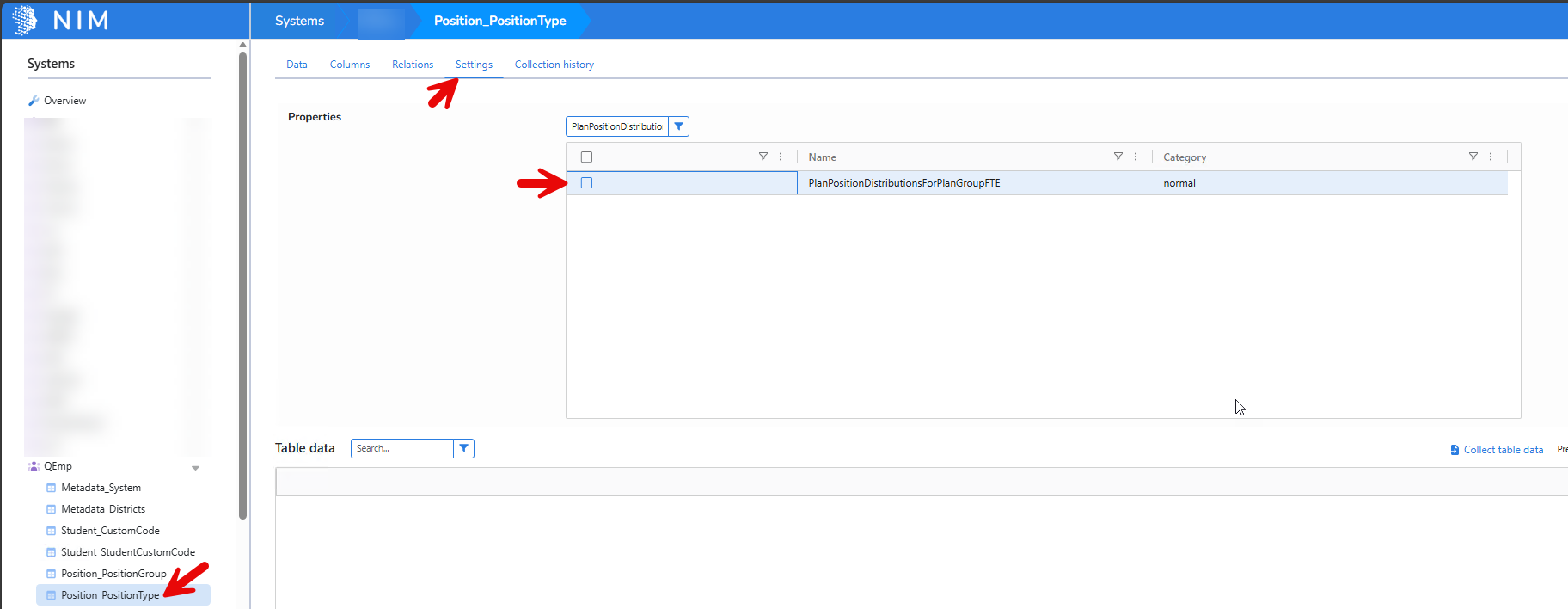
Workaround: Don't include "PlanPositionDistributionsForPlanGroupFTE" field
- Open NIM Studio
- Expand Qmlativ System tree
- Click on the "Position_PositionType" table
- Click Settings
- Uncheck "PlanPositionDistributionsForPlanGroupFTE"
- Click Save
- Collect System again
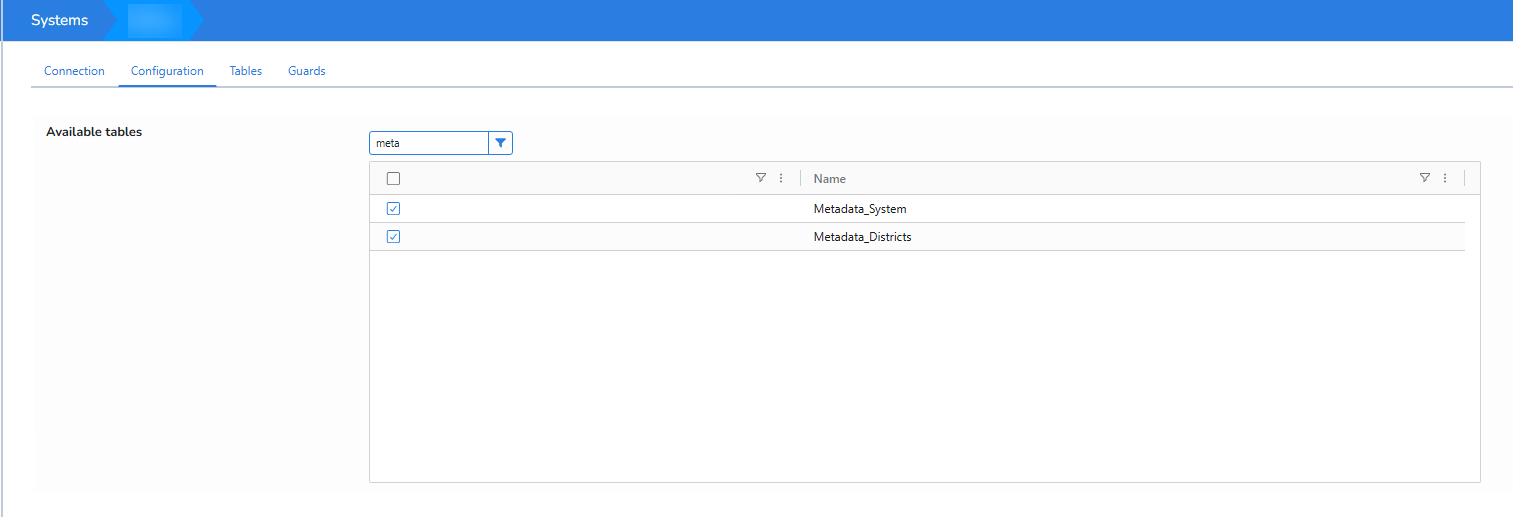
Note: Some of the changes require metadata tables now, please follow these instructions to add them if you get an error around missing a metadata table
- Open NIM Studio
- Click on the Qmlativ System on the left under Systems
- Click Configuration Tab
- Check Metadata_System and Metadata_Districts
- Then collect the system again.